
Running a Thermal Stress Analysis
As discussed previously in this course, a Thermal Stress Analysis is essentially a static stress analysis with the added consideration of mechanical effects from thermal loads. Below are important steps for performing a Thermal Stress Analysis.
Note: There is no dedicated block for Thermal Stress Analysis—a Static Analysis block is used to run Thermal Stress Analysis.
1. Define the Thermal Load (Applied Temperature)
The thermal load is an Applied Temperature Load with the applied temperature set by the user or input as a field resulting from a Thermal Analysis.

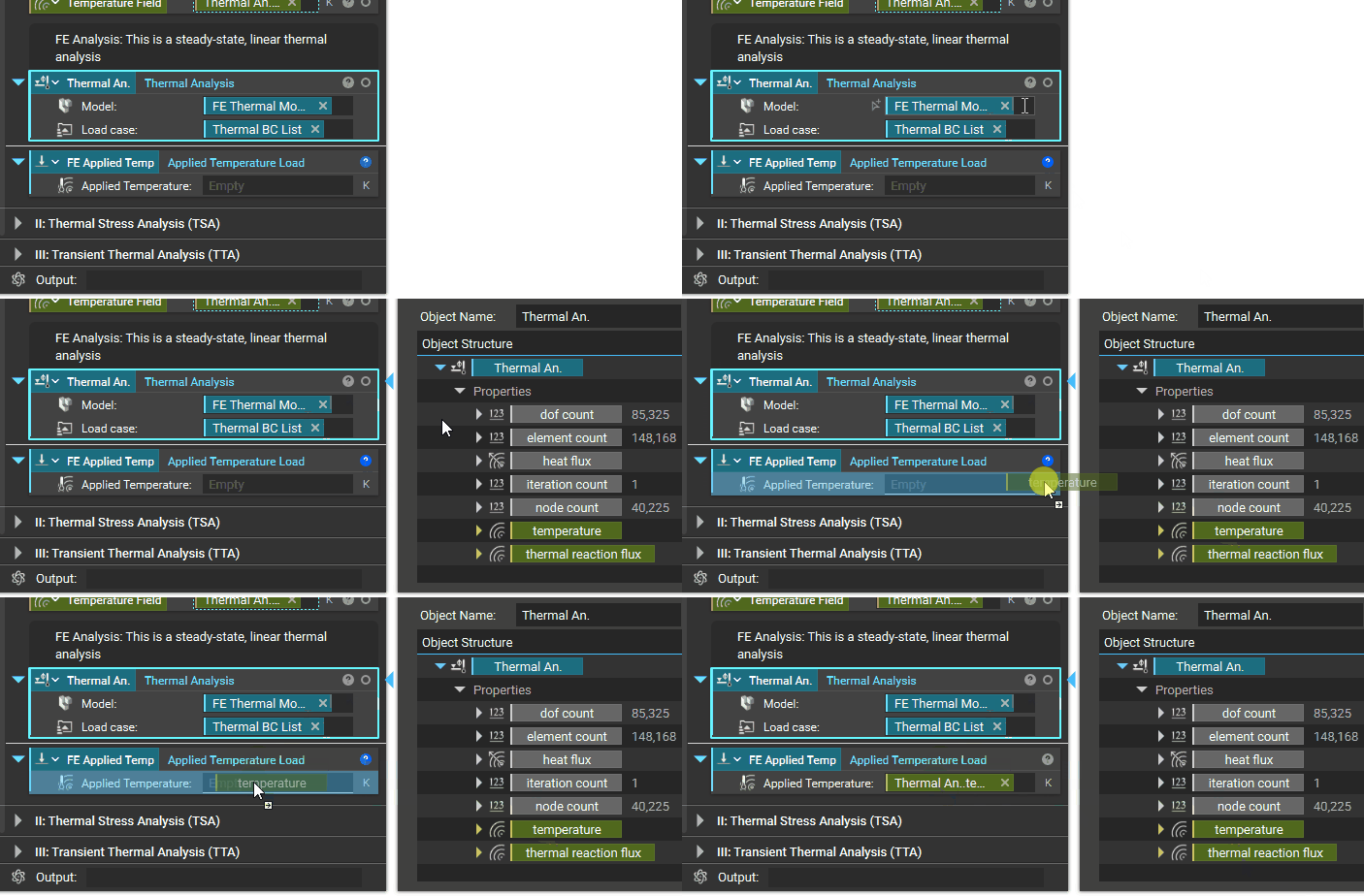
Note: Users can define Applied Temperature Loads from both linear and nonlinear thermal analysis.
2. Define Initial Temperature

3. Define Material Property for Thermal Expansion
As explained in the lesson on Thermal Material Properties, apart from the linear elastic property of the material, you must define the coefficient of thermal expansion (CTE) in the Material Property list.

After taking the above steps into consideration, run a thermal stress analysis by following the same steps as those for a Static Analysis.
