
Creating a Custom Block: Defining Inputs
To change the parameters of the CB, we need to place those variables in the input section of the nTop file. First, turn the inputs of blocks that you want as parameters into variables. To get the variables to the Inputs section, you can drag and drop them into the Inputs section, or you can right-click on the variable and from the drop-down menu, select Make Model Input.
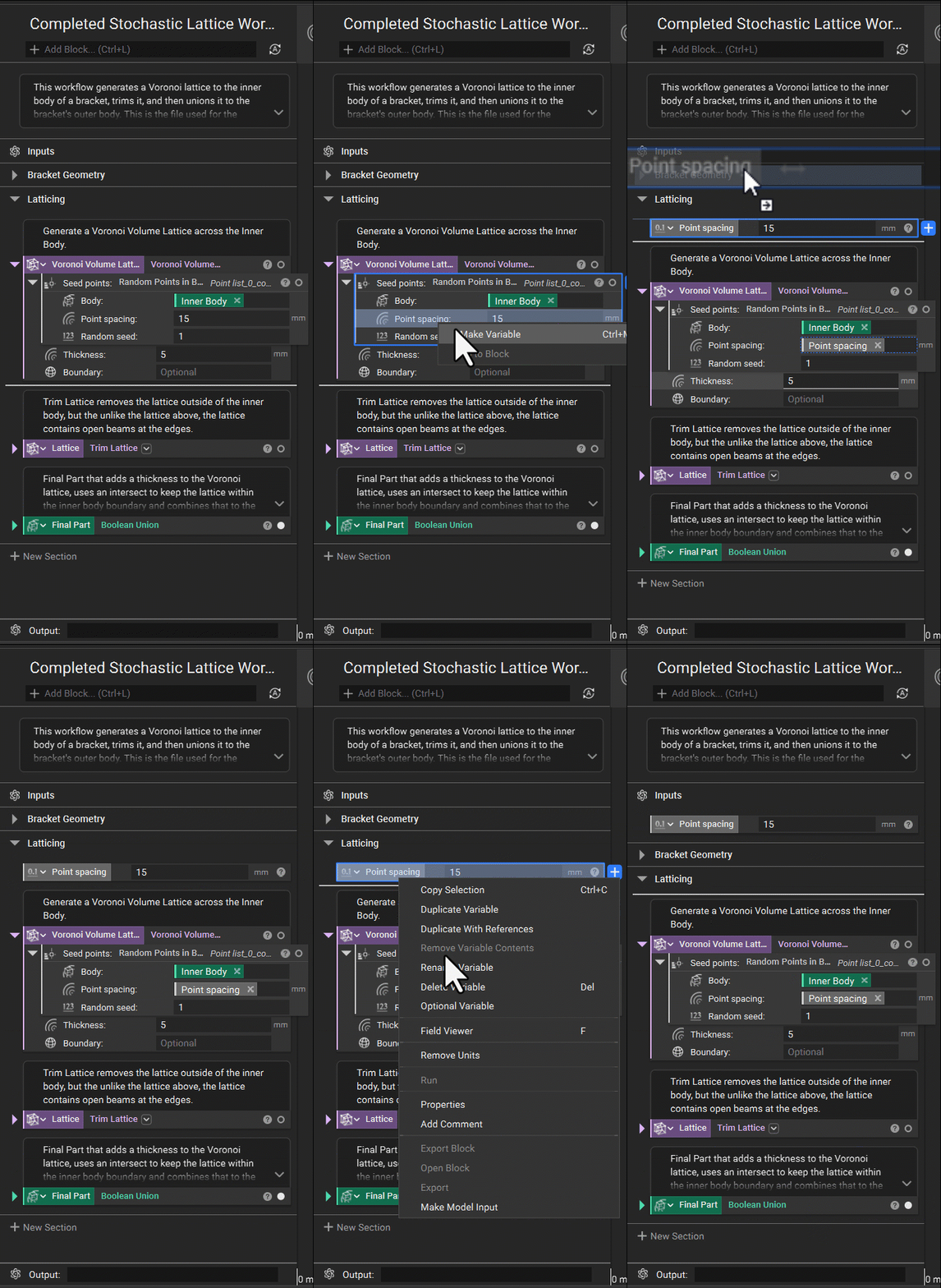
If you want to create a CB with many variables, it is very helpful to arrange the variables in the order of operation.
Note: If a variable in the input is referencing something in the workflow, you will not be able to place it into the input. To place that variable into the input, you will have to remove the unit that is being called. See the example below.

Unit Type
Before importing your CB into another notebook, you could change the variable type. For instance, point spacing is a scalar variable in the example below. However, if you intend to have varying point spacing and uniform values, you must change the type to a scalar field. To do this, click the icon and change it to the right variable type. Once you export this notebook, you will not be able to change that type, so we recommend changing the variable type to the broadest option.

Commenting
The custom block input name and descriptions will be taken from the notebook’s input name and description. Before exporting, we also recommend adding comments to your inputs. This will help others understand key information regarding those inputs in your CB, whether that is a longer description of the input or a recommended range of values for that input. To add a comment, hover over the top of the input variable and add the comment.

Once you import the CB to another notebook, in the information tab of the block details, any comments for your inputs will show in the Input Description in the Information Panel of the imported CB.

Tip:
We recommend removing the variables, such as file path or CAD body, before saving the CB. If you keep these in, you will have a larger file size, and the CB may take longer to run.