
Method 1: Using Solid Elements
This method treats your lattice structure as solid elements by creating a volumetric finite element mesh of the entire lattice structure.
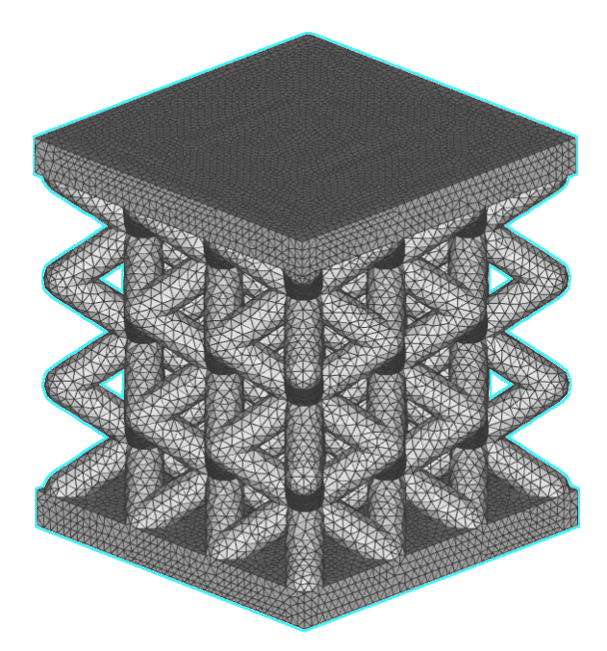
Advantages:
- Best accuracy
- Considers blend lattice-wall radius
- Captures edge effects and stress concentrations
Limitations:
- Meshing challenges for complex lattice structures
- Small mesh element size is needed to capture the detail of the lattice
- Result is dependent on mesh quality
- Takes a long time to compute
- Generates large file size
Setup
The setup for this method is the same as for running static structural analysis on any other non-latticed parts. This includes creating an FE Model containing the FE Solid Component of your lattice structure and defining your load case in the Boundary Conditions. You can then put the completed FE Model and Boundary Conditions into the Static Analysis block and let it run.
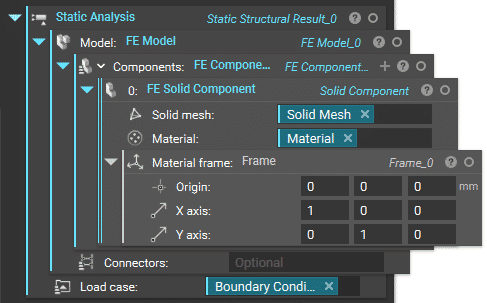
FE Solid Component
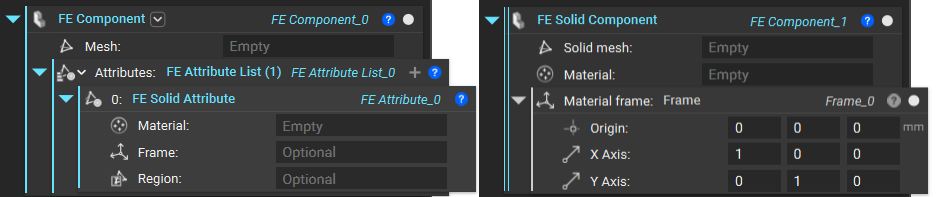
You can use either the FE Component block and fill out the Attribute as FE Solid Attribute or the built-in toolkit block FE Solid Component, which lets you skip the step of defining the attribute type.
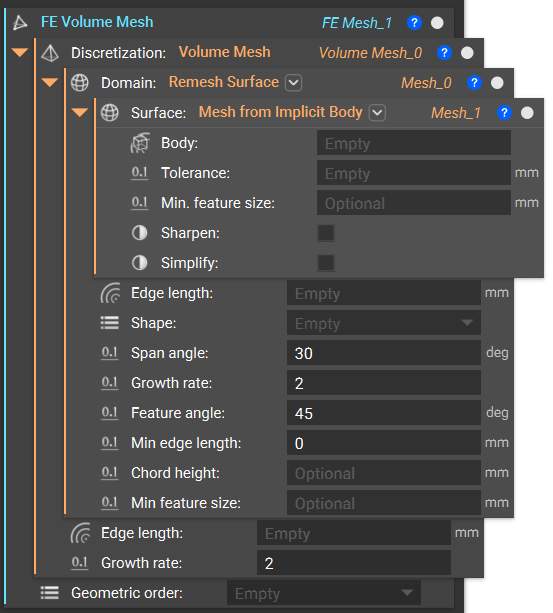
FE Volume Mesh for Lattices
To create the FE Volume Mesh of your lattice structure, which you need as input for the FE Component, start with this recommended workflow. This combination of blocks converts your implicit body into a surface mesh, remeshes it to be suitable for FEA, then generates and discretizes a volumetric mesh with assigned nodes.
The recommended tolerance for the Mesh from Implicit Body block is 30% of the smallest feature in your part.
Tip:
Turn on Manual Run Mode at the Remesh Surface block using the right-click menu so that you can try out different input values in the Mesh from Implicit Body block without having to run through the whole workflow. You can do the same for Volume Mesh as well. This is to ensure you have a good initial mesh with properties closed true, edge manifold true, and self-intersecting false before moving on to the next steps.
For complex geometries like lattices, we recommend using the second overload of the Mesh from Implicit Body block by clicking on the drop-down arrow to the right of the block name. This allows you to globally or locally sharpen your mesh, which can help to resolve areas with high element density.
For a deep dive into best practices for meshing complex designs, take a look at this video on surface meshing techniques.
If Volume Mesh fails for your geometry, try using the Robust Tetrahedral Mesh block instead. It will take longer to compute but can is more robust in dealing with complex parts.