How to Create Surface Plugs
Follow the steps below to plug cylindrical holes.
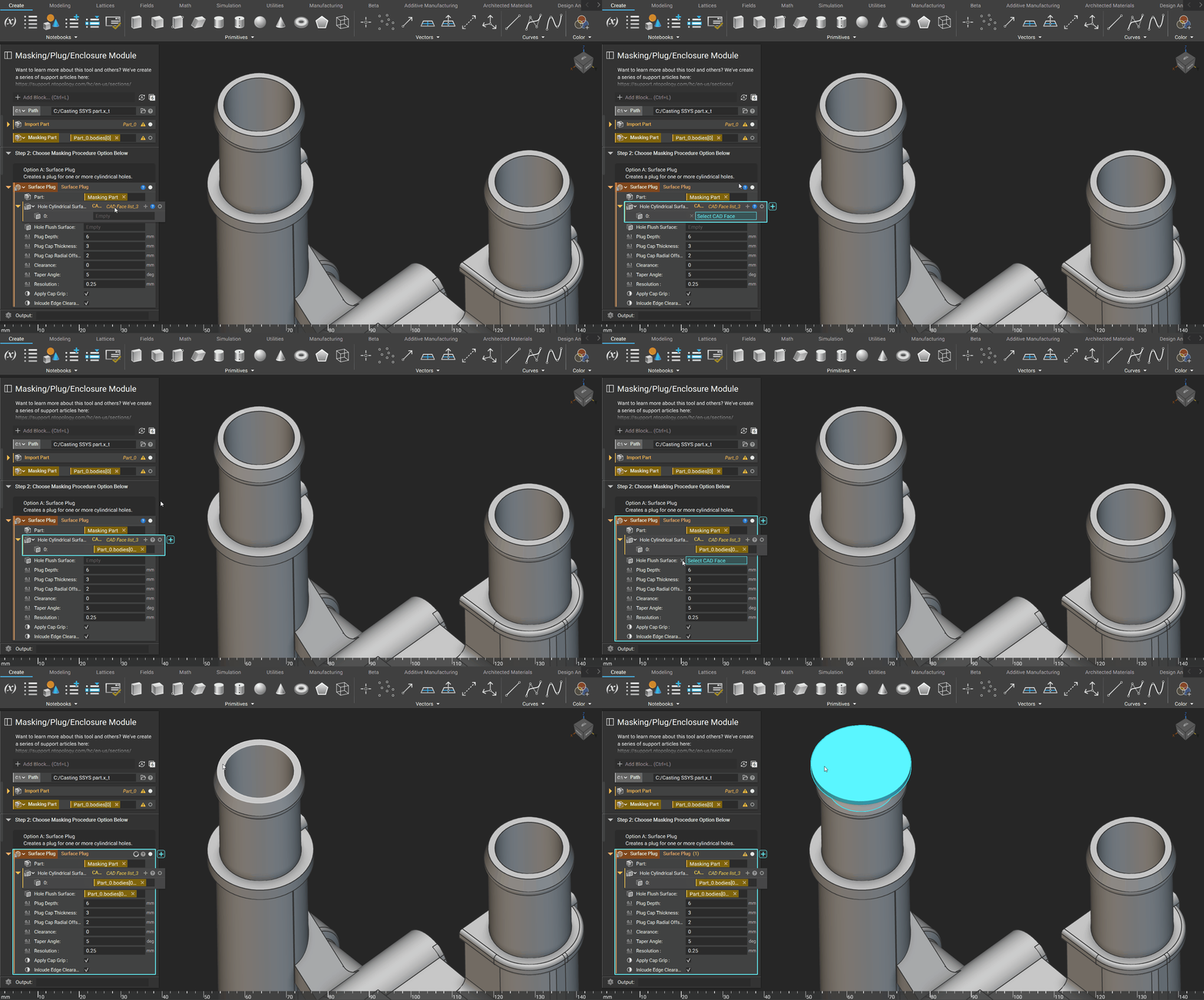
Step 1: Import CAD and Drag into Part Input of the Surface Plug block

Step 2: Select the Cylindrical and Flushed Surfaces you would like to plug
Adjustable Inputs

Depth of the plug into the hole, measured from the flush surface.

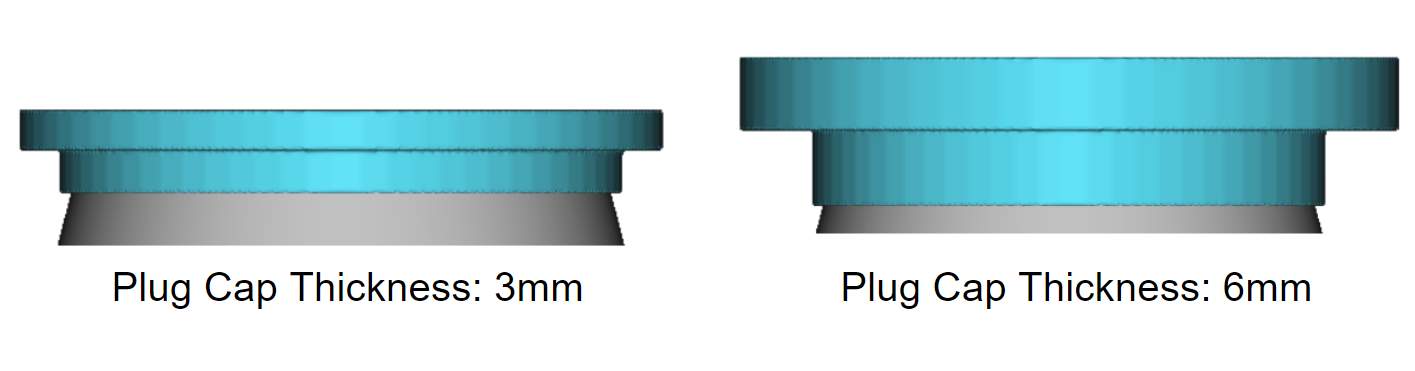
The thickness of the plug’s cap is measured from the hole’s flush surface.
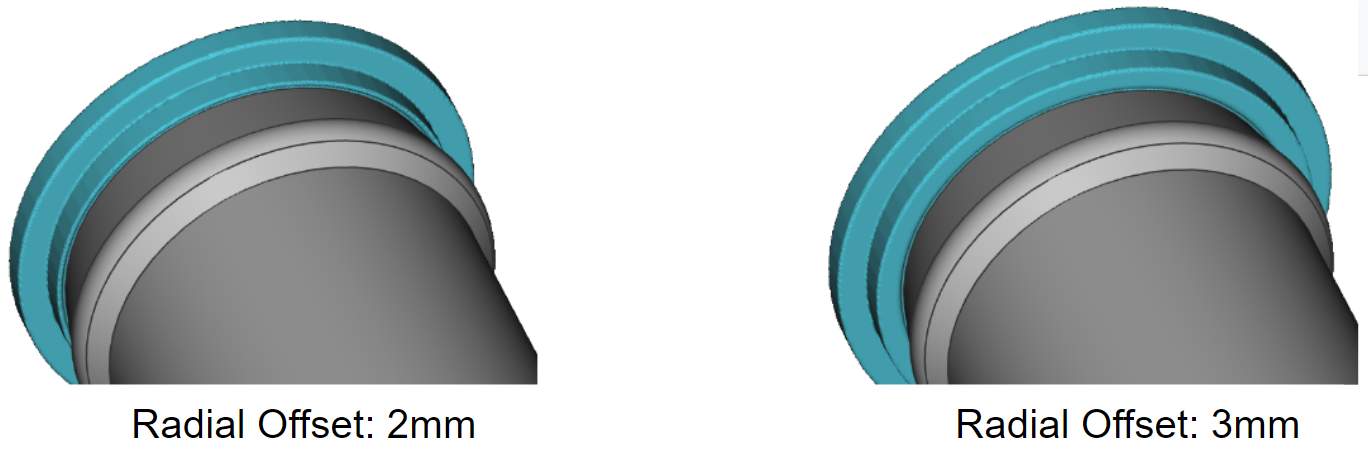
This is the radial offset of the cap, not including the radius of the grip.
This is the space between the final part and the mask surfaces.
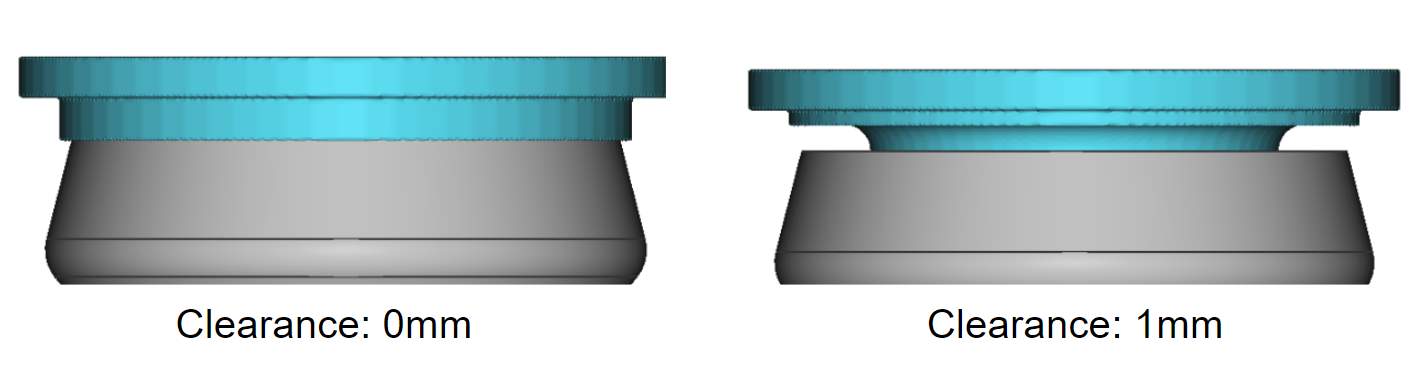
The Taper Angle is measured from the vertical axis. It occurs on all walls inside or outside the part.

The Resolution is the smallest feature nTop will recognize.

This adds a 1.5mm radial offset to the cap that aids with cap removal.
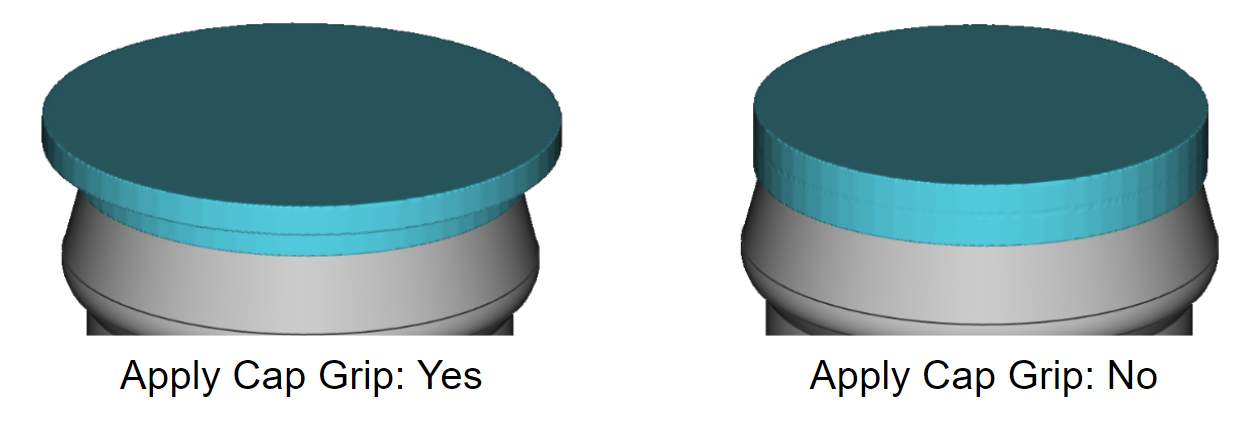
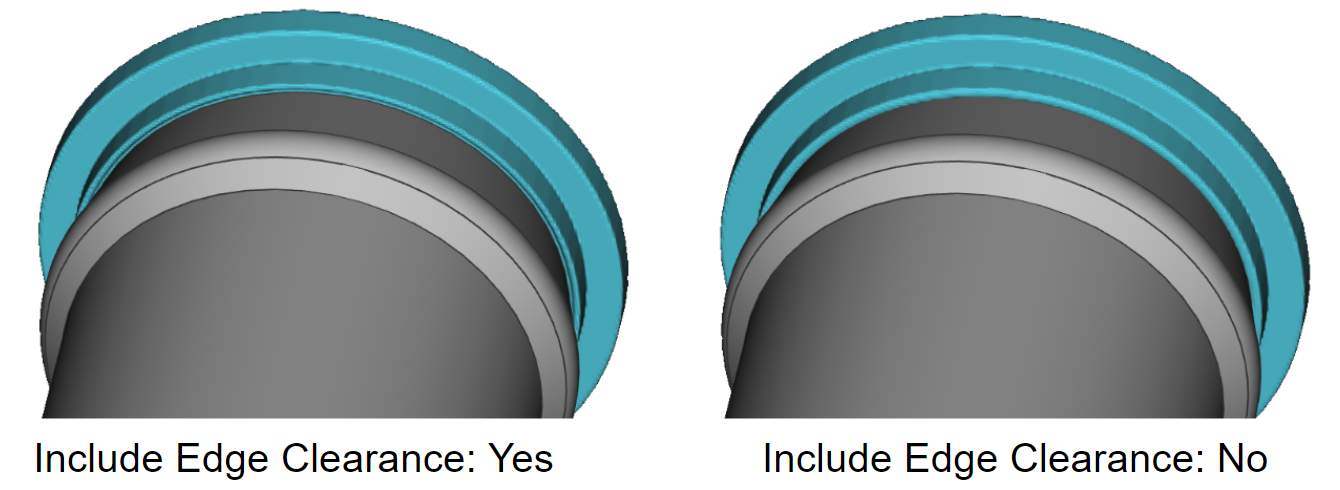
This creates an undercut on all interior sharp edges to ensure full plunge depth.