Cell Maps Using CAD Faces
Generating cell maps using CAD faces can help create conformal lattices and textures. See the options below.
Cell Map from CAD Face
The Cell Map from CAD Face block outputs a Cell Map on any CAD Face. The block has three inputs: Face, UVW count, and Height. By default, the Cell Map contains straight edges only.
By default, the Cell Map contains only straight edges. Uncheck the Linear input for edges that curve more conformally to the CAD Face.
- Face: Accepts a single CAD Face
- UVW Count: The number of Unit Cells in each axis of the CAD Face
- Height: The Cell Map’s height from the CAD Face can be either a constant value (scalar) or a variable (scalar field).
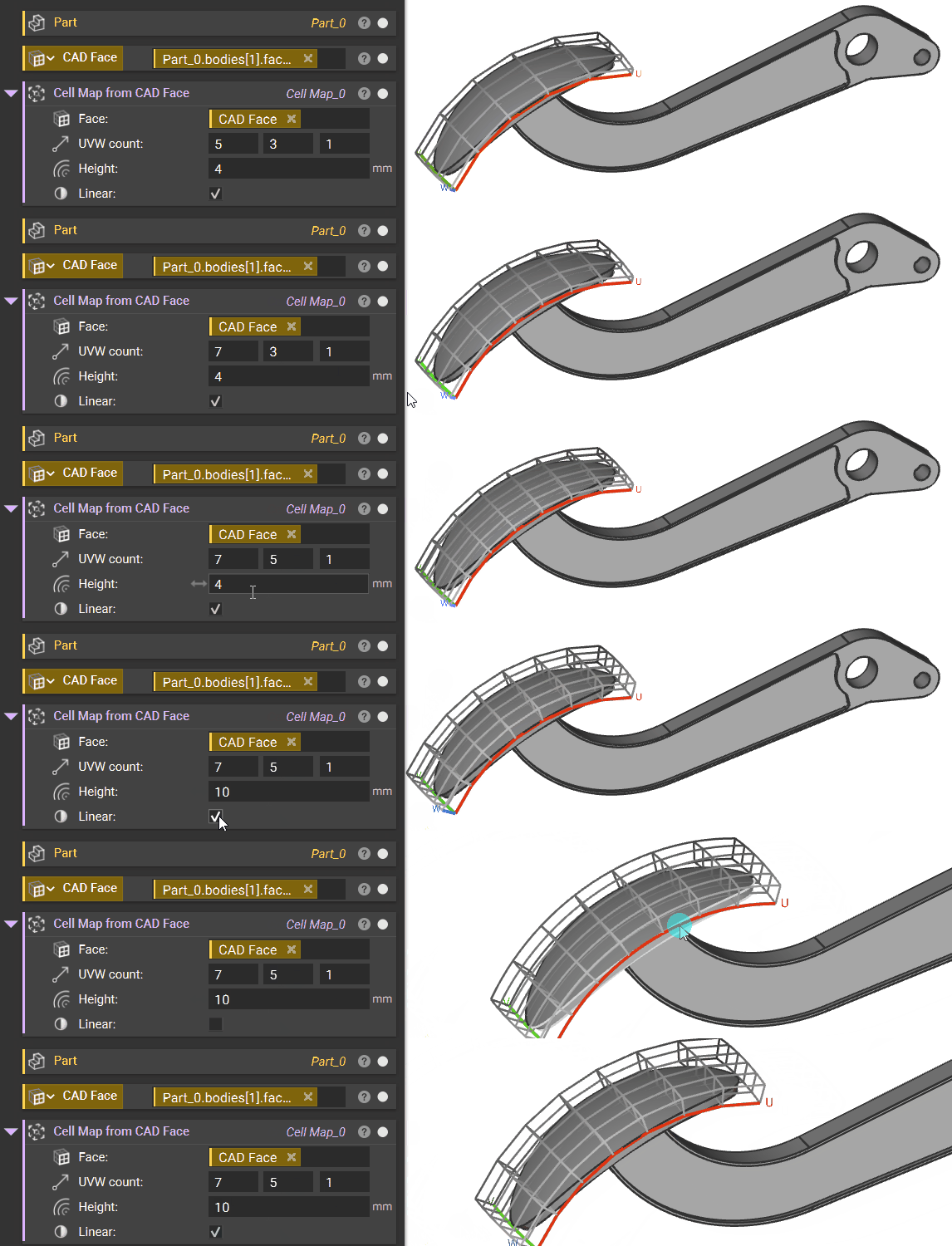
Note: The UVW count input follows the UVW parameterization of the CAD Face. If you’re unsure of what U, V, and W counts represent on your particular CAD face, try inputting sample values so that the block runs. Then, the UVW guides will appear.
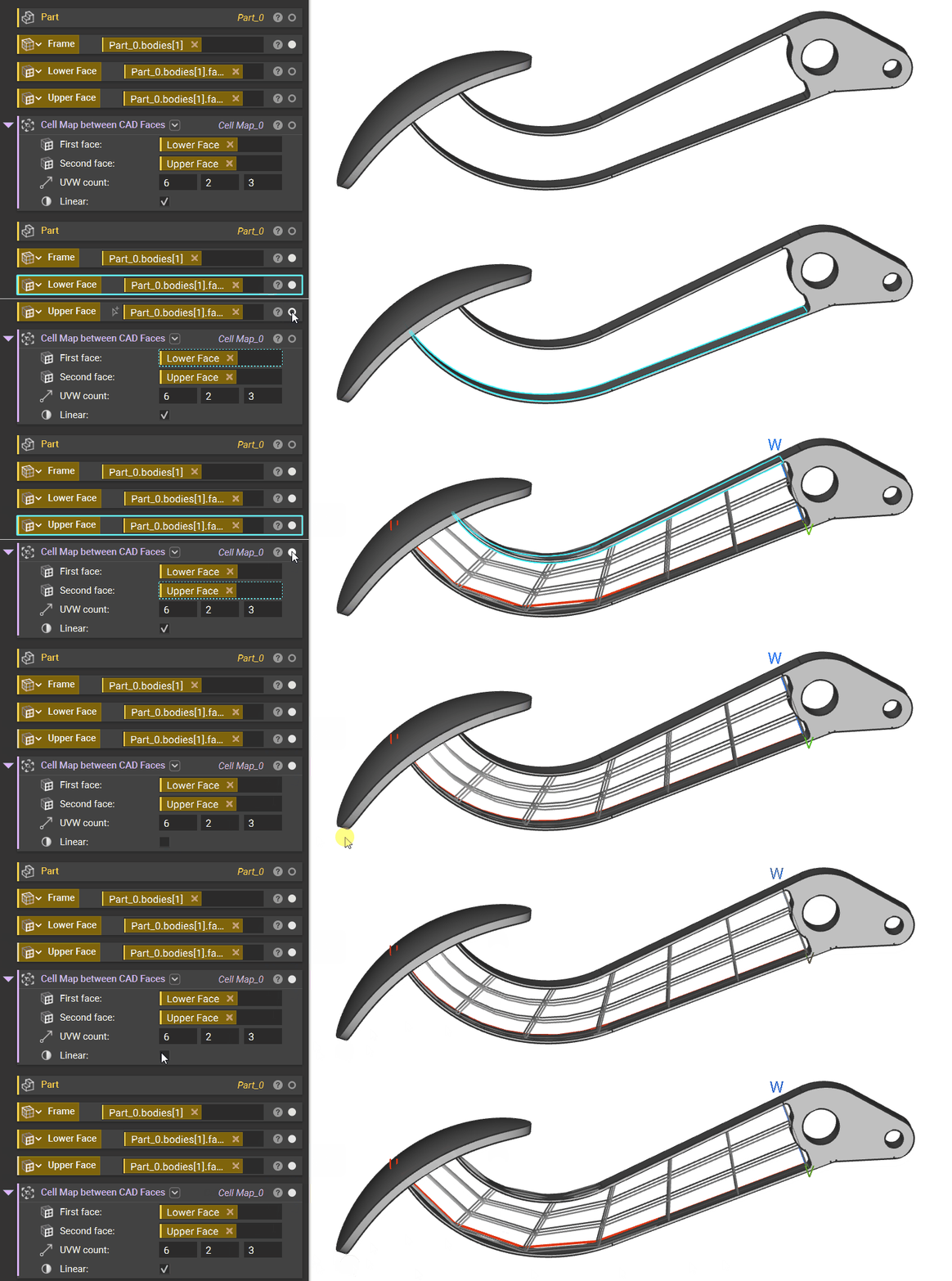
Cell Map between CAD Faces
The Cell Map between CAD Faces block generates a Cell Map between two CAD faces. The UVW count input specifies the number of cells in the three coordinate directions.
By default, this block tries to automatically select the parameterizations of the input CAD Faces to achieve the best Cell Map between them. An overload is available to choose the parameterizations manually.