
Buckling and Modal Analysis Properties and Terminology
Both the buckling and modal analyses in nTop require the Model, Boundary Conditions, and the number of modes. Currently, we can only run linear and nontransient buckling and modal analyses in nTop.
Once you run an analysis, a Heads Up Display (HUD) will appear showing the results. The HUD allows you to explore several different types of results, edit the upper and lower bounds of each, and probe results at individual mesh elements.
Buckling Analysis
The Buckling Analysis block calculates the critical buckling loads and buckling mode shapes of an FE Model subject to prescribed boundary conditions. The resulting eigenvalues are factors by which the load must be multiplied to reach the critical buckling load for that mode.
The key property to the Buckling Analysis block is the buckling load factor.
The Buckling Analysis block
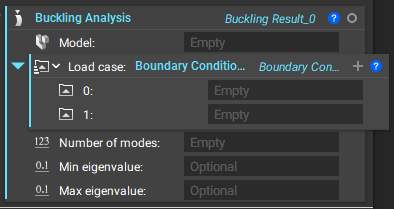
Open the block’s Properties to view the buckling load factor. Pull the property chip into the Notebook to use it. This property is shown in the HUD (heads up display) when working with this block.

Modal Analysis
The Modal Analysis block calculates the natural frequencies and mode shapes of an FE Model subject to prescribed boundary conditions. This block calculates a specified number of vibration modes. Providing minimum and maximum frequencies bounds the range of frequencies to be returned.
The key property specific to the Modal Analysis block is the eigenfrequencies calculated.
The Modal Analysis block
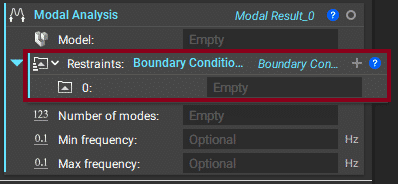
Open the block’s Properties to view the eigenfrequencies. Pull the property chip into the Notebook to use it. This property is shown in the HUD (heads up display) when working with this block.
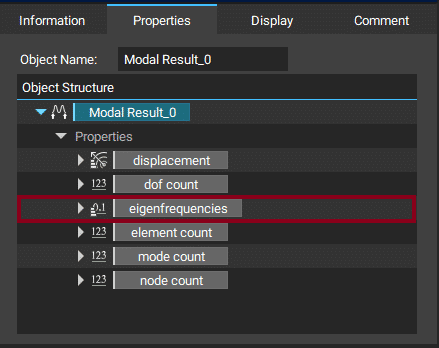
Note: Only provide restrained regions into the boundary condition list. Removing the optional Restraints input leads to a free-free Modal Analysis.