
Exporting Slice Information
You can export different slice information shown below and import a slice stack into nTop. Below, we will walk through the export methods for some of these options.
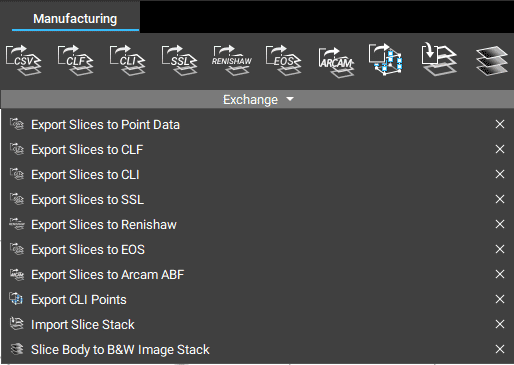
Different Exporting Options
Many of our export slices options have the same inputs options: the path where you plan to save the slices and the slice stack you want to export. If you plan to export slices to CLI, Renishaw, or EOS, you can define the format as ASCII or Binary. Our Export Slices to EOS block has the additional input to specify if the slice stacks are supports.
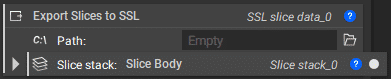
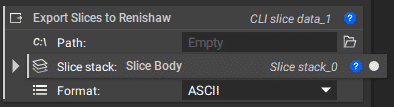
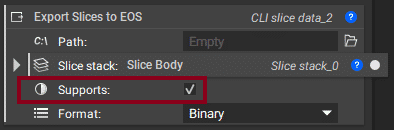
Note: The Exports Slices to CLI block does not currently support exporting point exposures generated from the Slice Lattice block.
To export to Arcam ABF, we have Export Slices to Arcam ABF block with the inputs for the Part Slice Stack and the Wafer Slice Stack (the optional slice stack to add as the wafer support).

If you plan to export slices to point data, you can use our Export Slices to Point Data block below, which will export slice data, and laser power and exposure time to a CSV point file. Points are uniformly distributed along contour and hatch lines.

Importing a Slice Stack
If you plan to import a slice stack, add the file path for the slice data into the Import Slice Stack block.
