Selecting by Flood Fill
FE Boundary by Flood Fill is used to select surface entities on an FE Mesh. The entities available to be selected are nodes, faces, or edges. The Filter Mesh by Flood Fill follows the same process described below to select portions of a surface mesh.
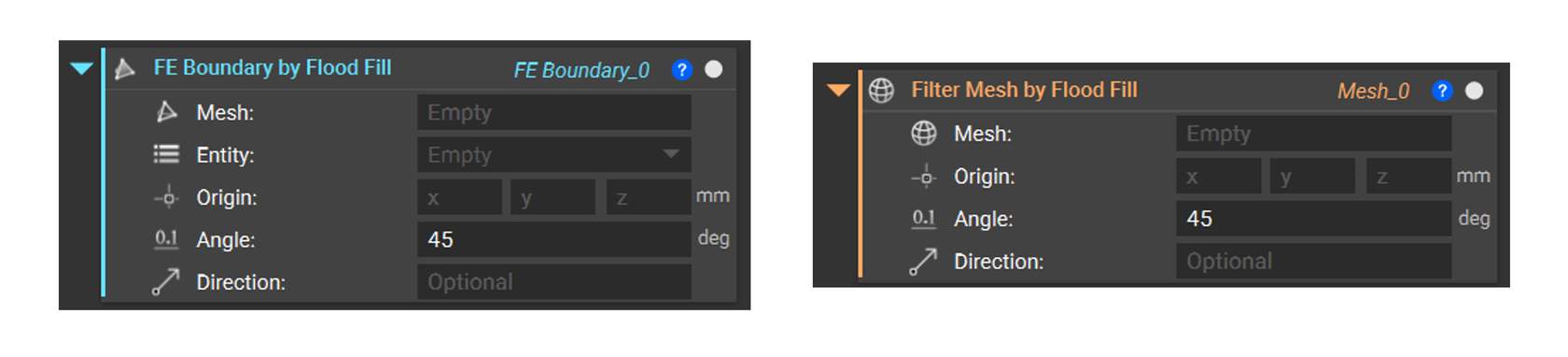
When a direction is defined, Flood Fill shoots a ray at the mesh and finds the intersection. The first intersecting face (face0) becomes the basis for Flood Fill. The Flood Fill compares the normal of face0 with all the neighboring faces, which are below the tolerance angle provided by the user and selects it. When you don’t provide a direction, it finds the closest face to the origin, which becomes the face.
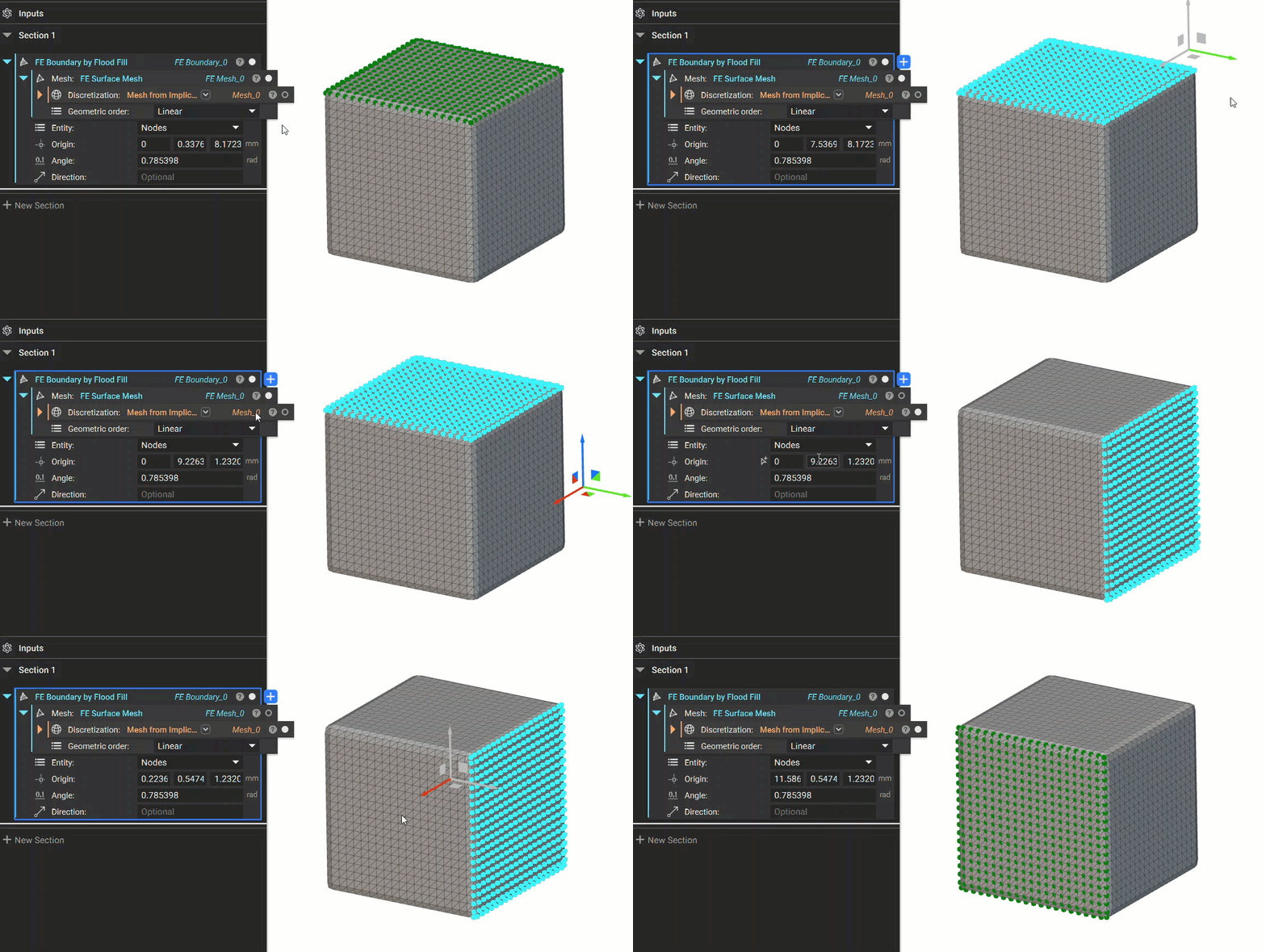
When you define the direction with a vector, the Flood Fill operation will shoot a ray from the origin in that direction to choose the seed entity (face0). For example, if you choose the vector as 0,0,1 (x,y,z), then the closest intersecting surface mesh entity only in the positive Z-direction will be chosen. If the origin point doesn’t intersect with an entity in that direction, you will receive an error that says, “No mesh entities were found.” Watch below to see how Flood Fill with a defined direction works.

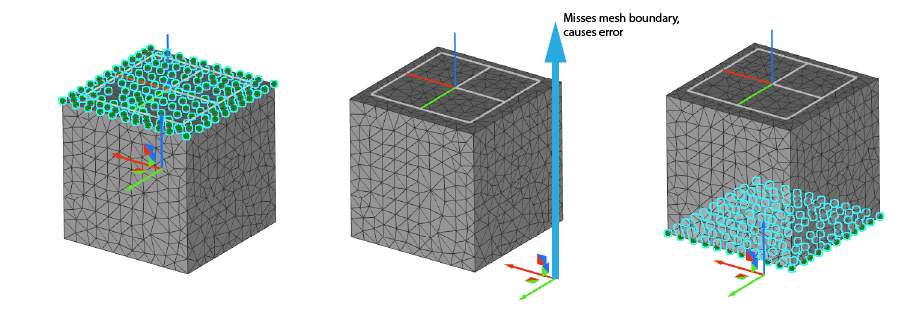
Angle
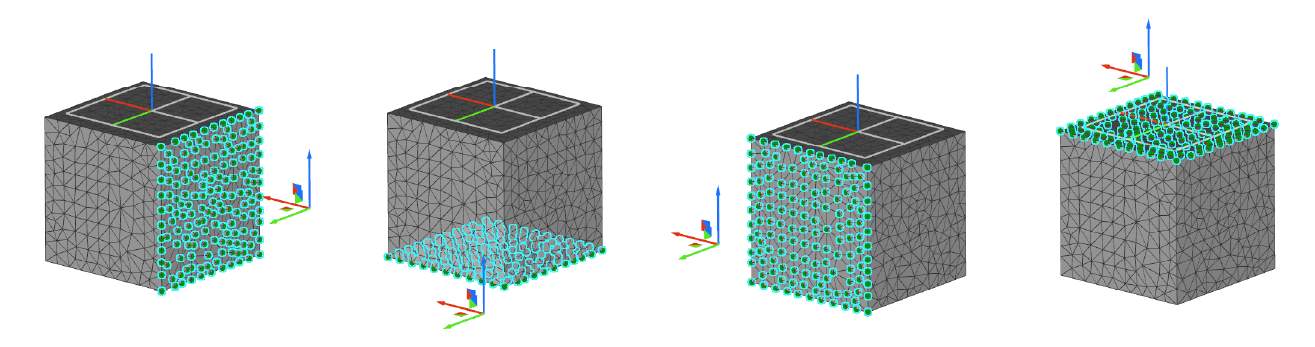
The angle defines how many entities to select by comparing the normal of face0 (seed entity) with all neighboring faces. If the faces are below the tolerance angle, they will be selected. It is helpful when selecting entities on curved surfaces.
If the angle is x degrees, the Flood Fill will choose all entities with an angle of up to but not including x degrees between them and the normal of face0. Watch below to see this behavior.
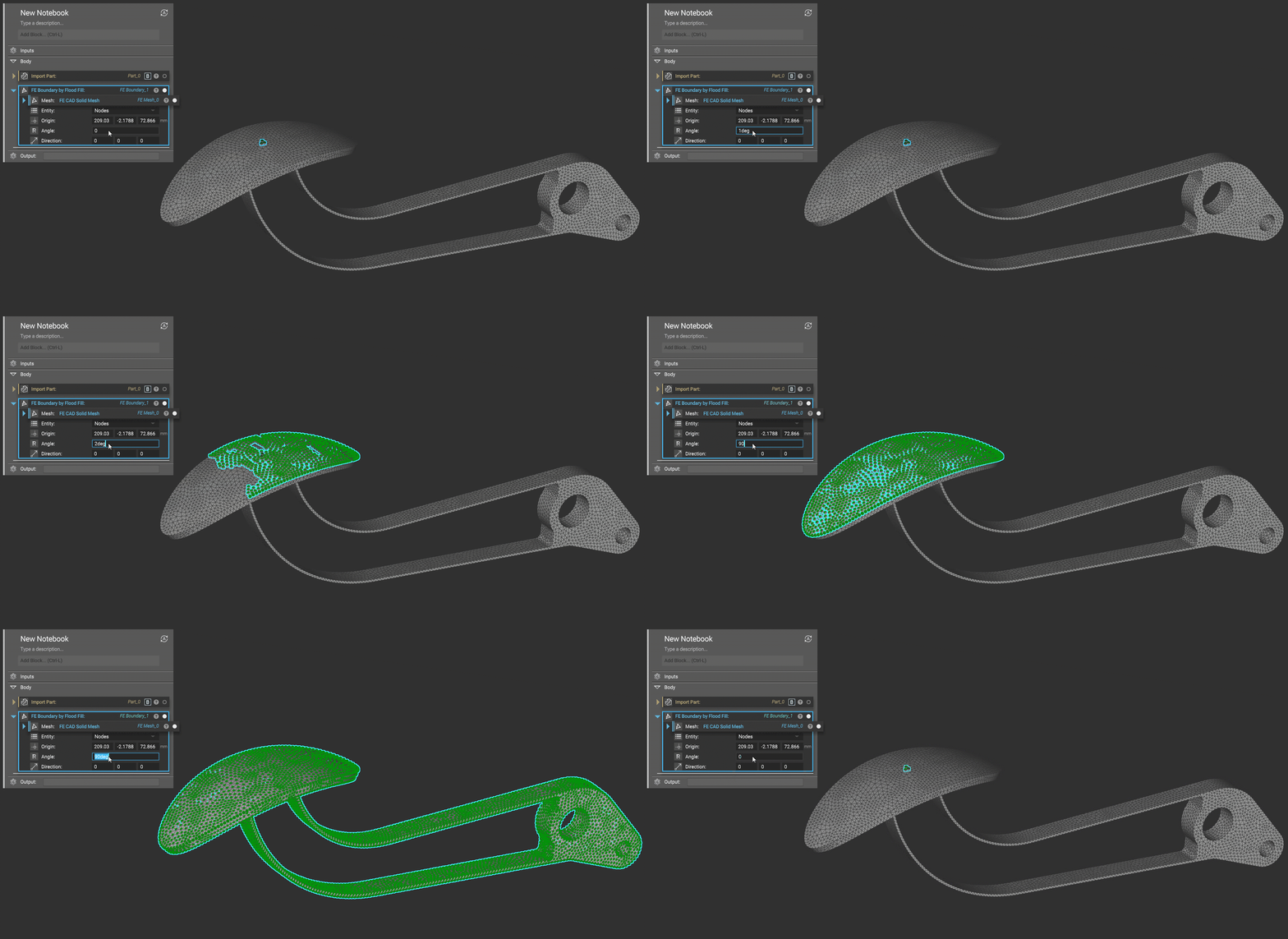

Right-Click Flood Fill
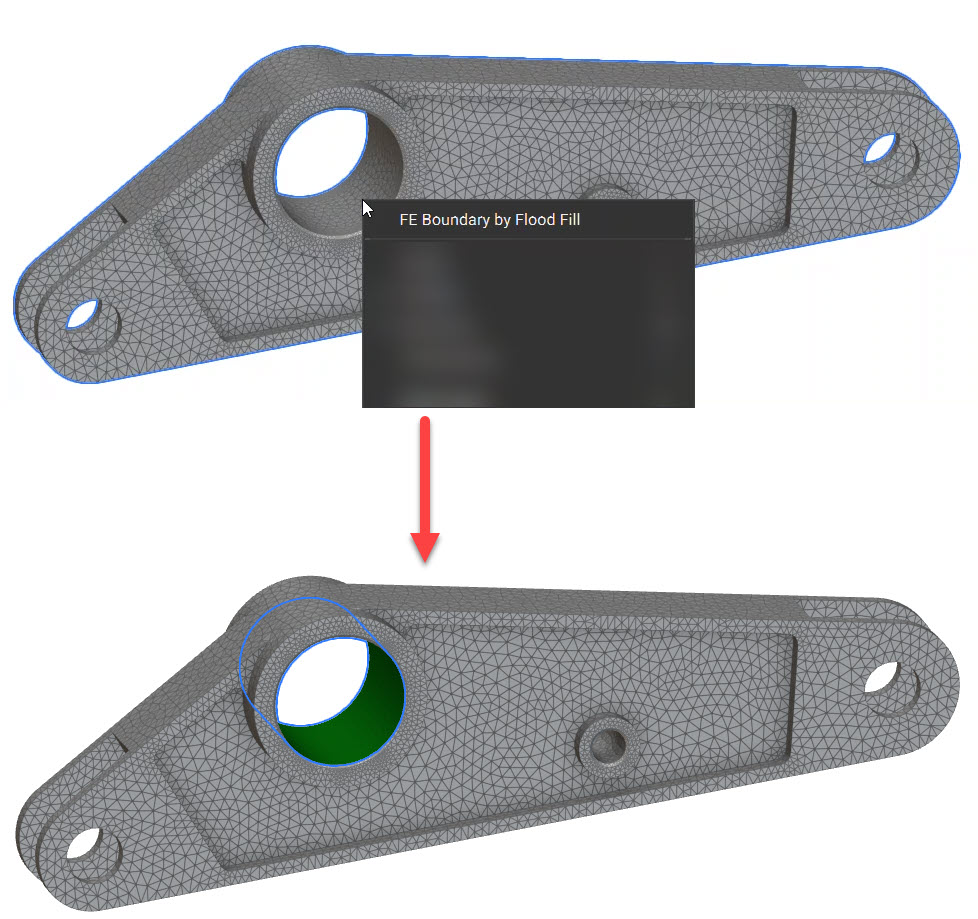
You can also select a mesh face in the 3D scene and flood to the boundary. Right-clicking on the mesh launches a context menu with the option to perform the flood fill operation. The option works for both an FE Mesh or Mesh object. The flood fill operation creates a block in the Notebook with the associated inputs, so your flood selection is preserved. Selecting the FE Boundary by Flood Fill context menu floods the mesh faces in the vicinity of the selection point.