
Refine and Simplify
Simplify Mesh by Amount
The Simplify Mesh by Amount reduces the number of triangles on the surface mesh depending on the amount entered (ranging from 0-1, but not including 0 or 1). This block helps shrink the size of the file. When simplifying, it does not consider surface tolerance (the distance between the original input mesh surface and the new surface).

Note: Amount input of 0.4 removes 40% of the mesh elements.
Simplify Mesh by Threshold
The Simplify Mesh by Threshold reduces the number of triangles on the surface mesh. The block ensures that the distances between the surface input mesh and the surface of the new mesh are below the defined Threshold. This block helps shrink the size of the file.
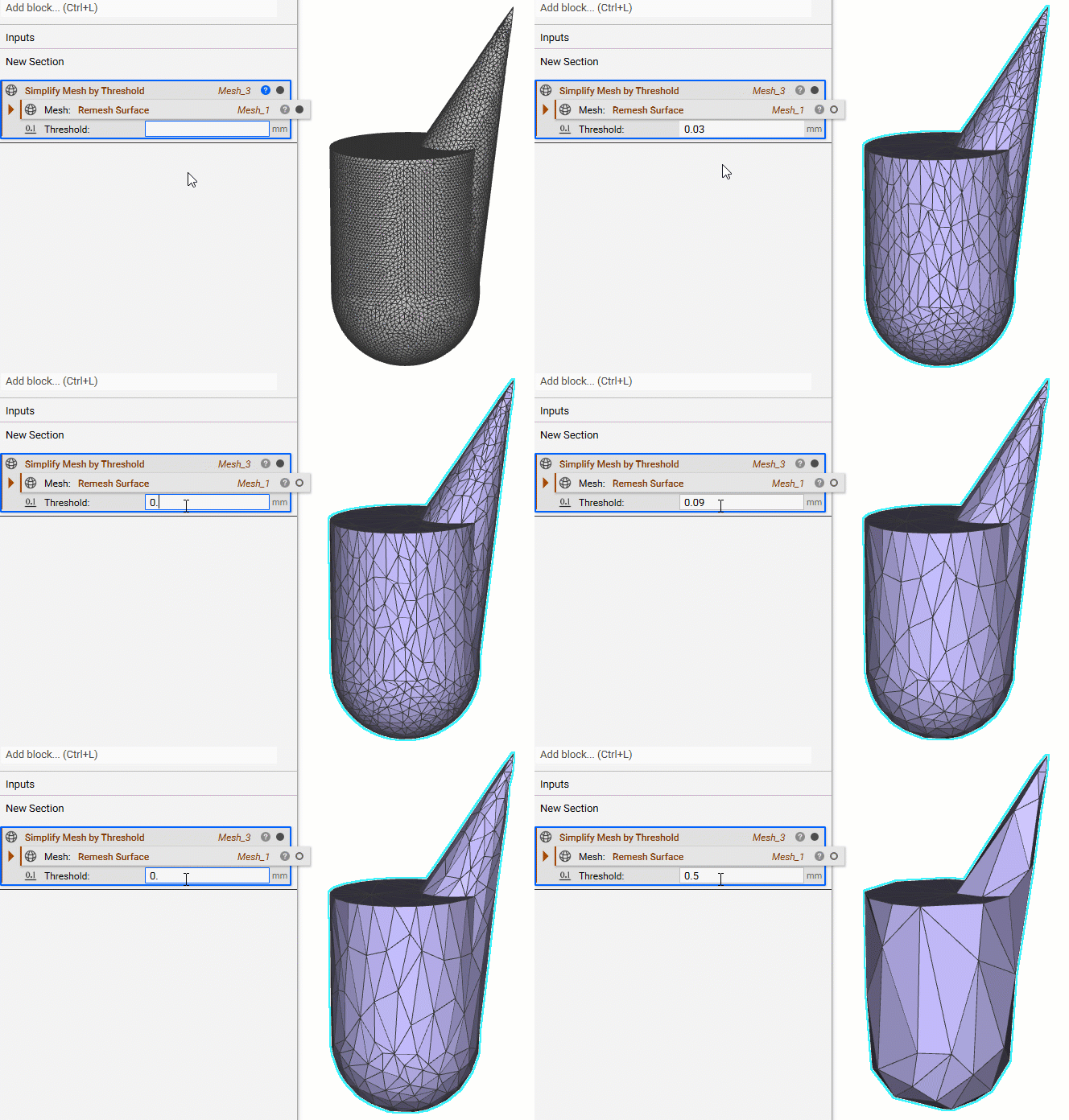
Note: The Threshold must be larger than 0mm.
Refine Mesh
Refine Mesh refines a mesh using subdivision. Increasing the triangle count increases the size of any mesh to be exported. It creates subdivided meshes that can convert into lattices (Lattice from Surface Mesh).
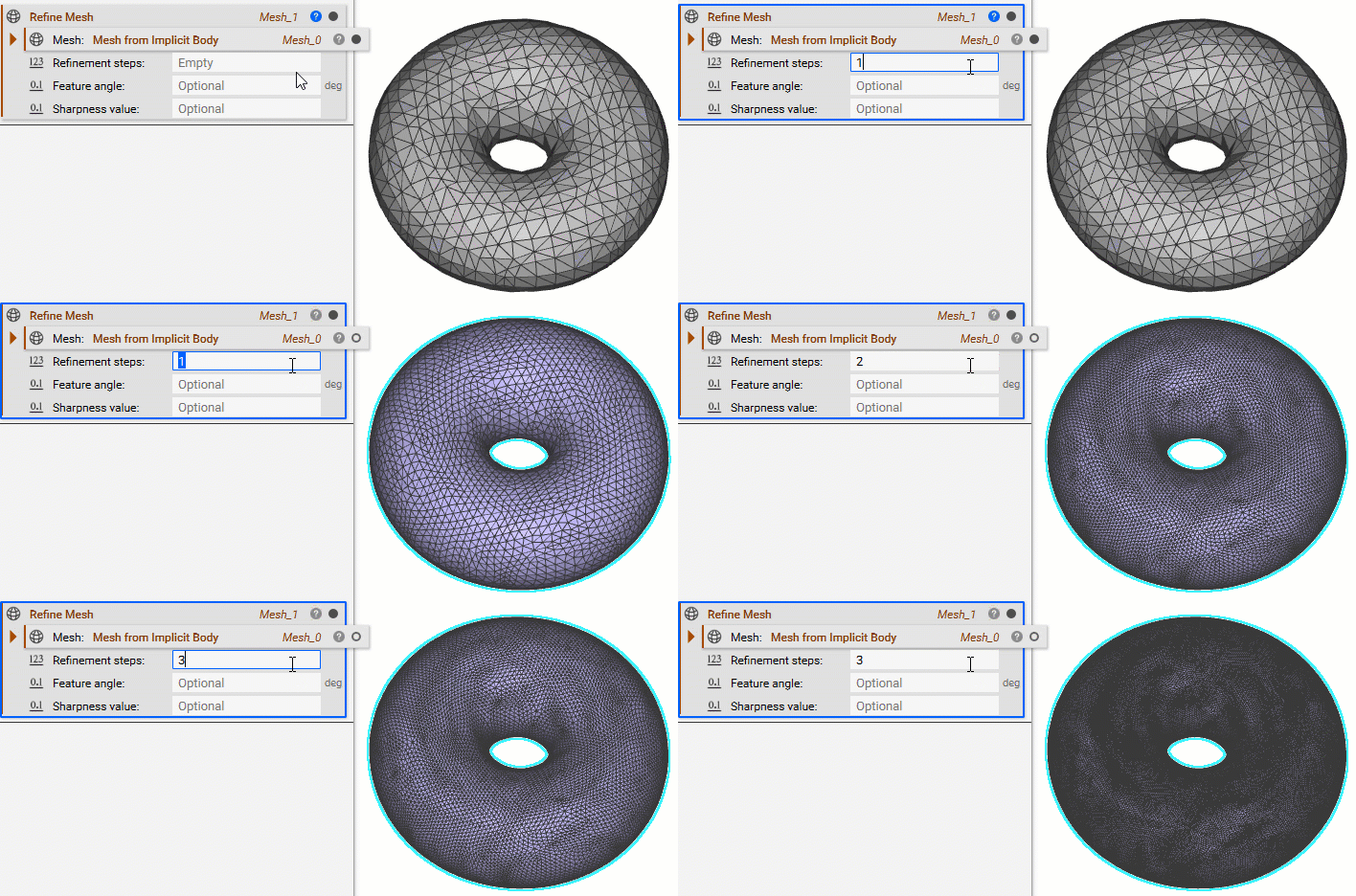
This block is useful for refining Quad meshes before converting them to a CAD part. It is usually used in CGI applications and can be good for exporting to rendering software.