
Conversion to CAD with Quadrangulate Mesh
To convert an Implicit Body or Mesh to CAD, we will use the CAD Body from Quad Mesh Block. This block is capable of exporting implicit or mesh parts to STEP or Parasolid formats. If you are working with an older version of nTop, this block is called CAD Body from Mesh.

CAD Body from Quad Mesh
Before converting, we will use the Quadrangulate Mesh Block to generate a Quad mesh as in the workflow shown below.

Quadrangulate Mesh
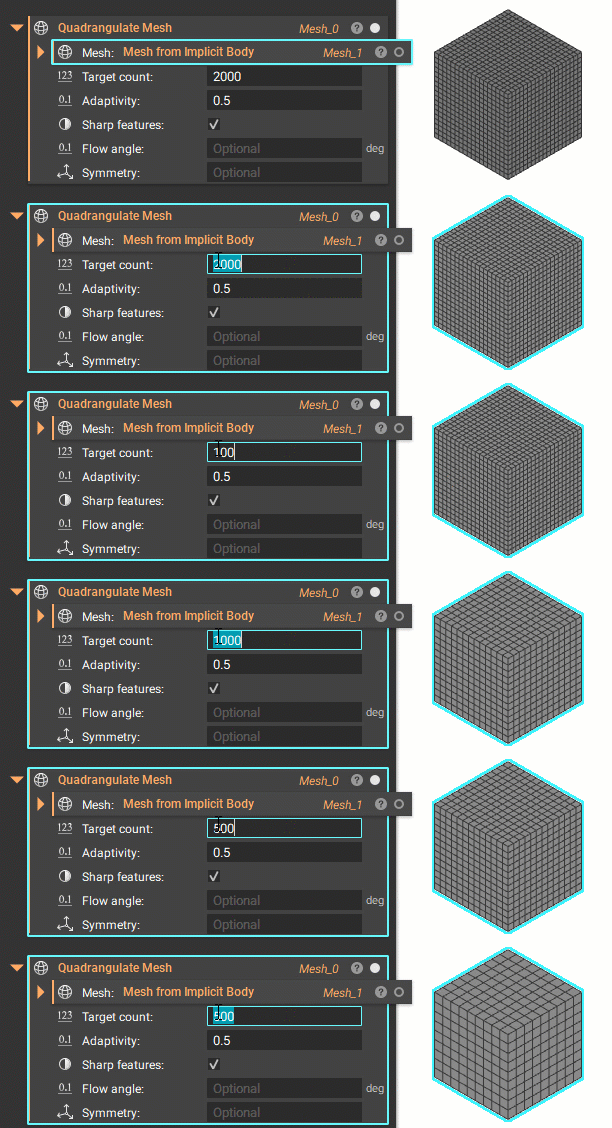
The Quadrangulate Mesh block creates a mesh with the number of Quads indicated in the target count. For finer details, increase the target count. The quad mesh allows for easier and faster conversion to a CAD Body format. Note that meshes may need further refinement before being converted into a Quad Mesh, and this should not be used with lattices or TPMS structures.
Note: This block works best with simpler structures and some TPMS lattices. We do not recommend it for use with a complex lattice structure.
For small to medium-sized lattices that this method cannot support, try the CAD Body from Implicit Body block discussed in the Working with CAD Bodies Lesson in 101: nTop Essentials.