Evaluating Mass, Volume and Weight Savings
Tools to evaluate different properties of your part are available in the Modeling tab.

Mass and Volume
The mass and volume of an implicit body can be evaluated with the Mass Properties block. This block can be found under Modeling → Evaluation.
Typing the desired unit into the density input field with the value overrides the default unit seen on the right of the input field.
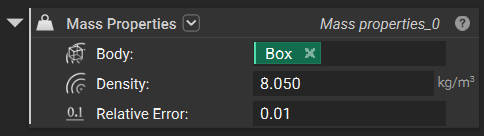
By going to the Properties tab in the information panel of the block, you can see the mass and volume information to the right of the property chips. You can drag these chips out of the Properties to use in other parts of the workflow.

Weight Savings Calculations
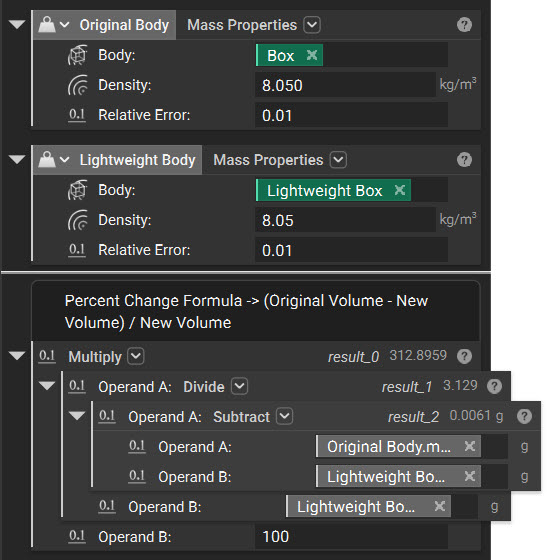
After extracting the mass properties of the original body and the lightweight body, you can use math blocks to calculate the percentage of the change in mass.
The calculation result for each mathematical operation shows up at the top right corner of that block.
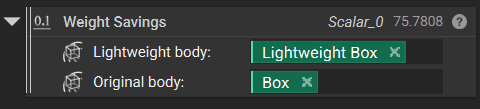
For a quick check of the percentage weight change, a toolkit block called Weight Savings is available under Lightweighting → Utilities.